Browser-based · Public posts · Preview first

Instagram Video Downloader

Download Instagram Reels, videos, photos, carousel posts, and audio in HD quality. Paste an Instagram link to preview and download your content instantly—free, fast, secure, and no login required.

Supports public Instagram links only. No login or software required. Private accounts and restricted content cannot be accessed, ensuring privacy and compliance with Instagram's visibility settings.

Only openly reachable Instagram links work here—locked accounts stay out of scope.

Want format-specific help? Visit the Reels landing page →

Example URL: https://www.instagram.com/reel/XXXXXXXXXXX/

Trusted by users who need a clean save flow

  • No Login

    A share URL is enough. We have no place to type a username or password, and we will not ask for one.

  • HD Quality

    Streams arrive as MP4 when Instagram publishes video for that link. Glance at the in-page player so soft or blocky footage does not surprise you later.

  • Fast

    Skip APK sideloads and App Store clutter. Chrome, Safari, and everyday desktop browsers are enough to finish a save.

  • Private

    Only openly reachable Instagram links work here—locked accounts stay out of scope.

  • Secure

    Traffic is encrypted. We only attempt media that is already reachable without a session.

  • No Watermark

    We never brand your file with a watermark.

Supported content

  • Reels

    Short-form vertical clips: confirm the playhead, then keep the MP4 when framing looks good.

  • Photos

    Single-image posts land as stills you can file into a camera roll or folders.

  • Carousel

    Albums surface each frame so you choose which slides leave with you.

  • Audio

    Isolate the soundtrack from eligible reels and videos for separate use.

  • Video

    Feed uploads and longer public clips when a playable stream exists for the URL.

From link to local file

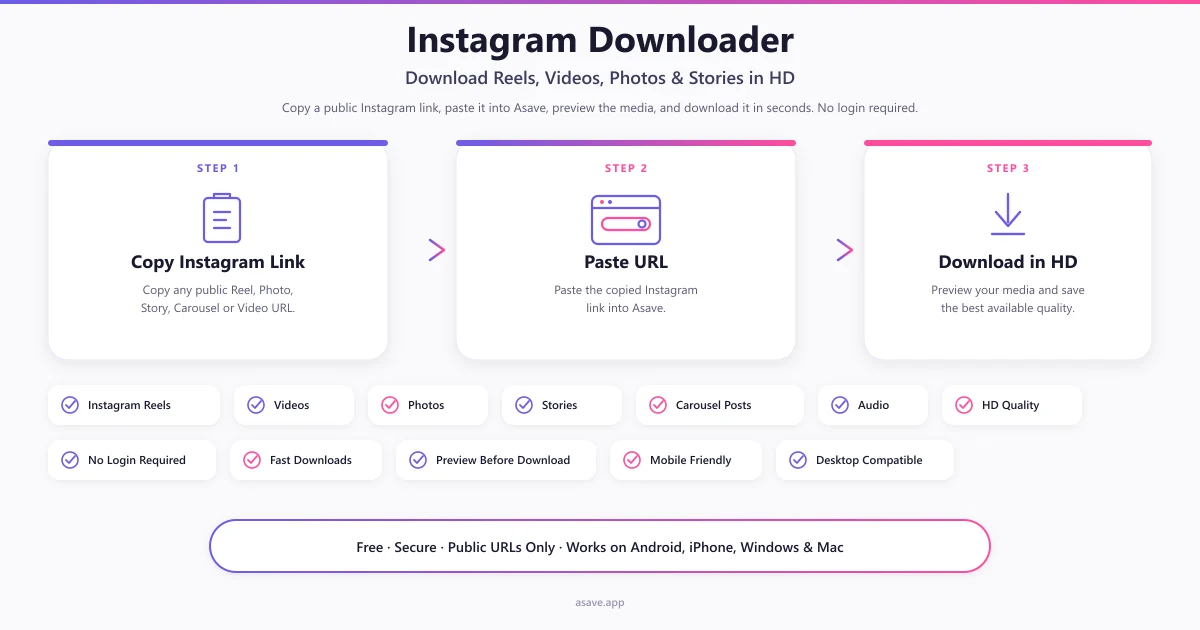
  1. Copy Instagram URL

    On the post you want, open Share and choose Copy link so you have a clean instagram.com address.

  2. Paste URL

    Drop that address into the field at the top of this page—no Instagram password needed.

  3. Preview media

    Hit Download and watch or inspect the result in-browser before you commit storage space.

  4. Download in HD

    Keep the MP4, image, or audio file when the preview looks right; quality mirrors Instagram's public stream.

Prefer themed landing pages afterward? Paths for reels, photos, carousels, and audio repeat the same fetch with format-specific tips.

For orientation beyond this homepage, try the guides index, the editorial list, the longer FAQ, our about page, or write to the team.

Why people pick Asave

Small footprint, honest limits, and a preview so you rarely store junk files.

  • Clarity you can check first

    Streams arrive as MP4 when Instagram publishes video for that link. Glance at the in-page player so soft or blocky footage does not surprise you later.

  • No Instagram sign-in

    A share URL is enough. We have no place to type a username or password, and we will not ask for one.

  • Stays in the browser

    Skip APK sideloads and App Store clutter. Chrome, Safari, and everyday desktop browsers are enough to finish a save.

  • Mixed post types in one place

    Stills, multi-slide albums, short clips, and longer uploads share the same paste field—pick a tab only when you want a clearer placeholder hint.

  • Sound without the picture

    When a clip includes usable audio, pull just the track for edits, voice notes, or offline listening.

  • Built for travel networks

    Layouts stay usable on small screens and spotty mobile data, while wider monitors still get a comfortable preview pane.

  • HTTPS, public posts only

    Traffic is encrypted. We only attempt media that is already reachable without a session, and we never brand your file with a watermark.

Browse the blog →

Latest guides

Jump to a focused tool

Prefer a page aimed at one media type? These routes share the same fetch engine with clearer examples for that format.

Install Asave

Add Asave to your device for one-tap access. No app store required—uses your browser's install flow, with dark mode already built in.

How Asave works: copy a public Instagram link, paste the URL, preview the media, then download reels, videos, photos, stories, carousels, and audio in HD — no login
Three-step Instagram downloader workflow and supported media types on Asave.

Paths by device

Common questions

See every FAQ entry →

Who runs this

Asavesits outside Meta's product family. Editorial guides, privacy wording, and takedown handling are maintained here on purpose. Read the project brief, Privacy Policy, Terms of Service, and DMCA policy—or send a direct note.